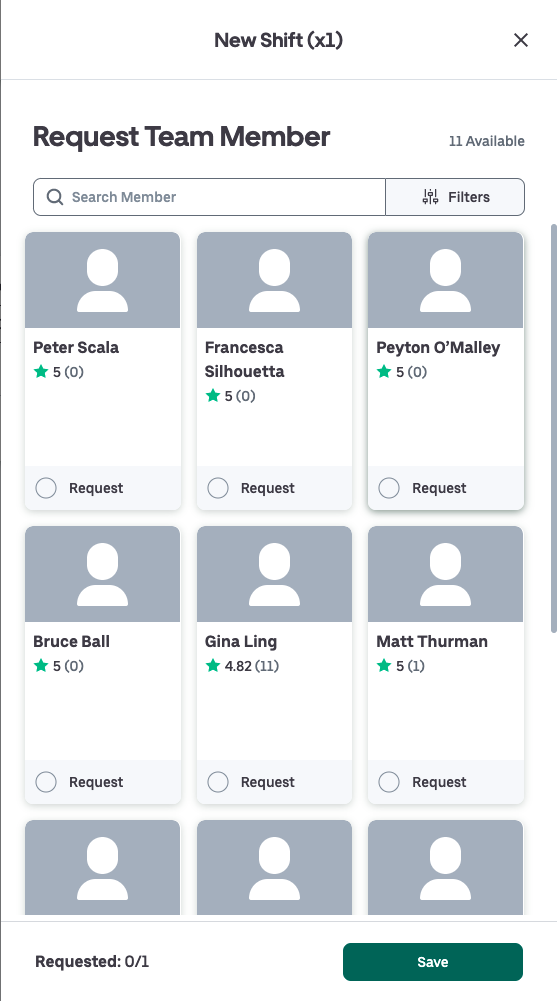
- Click on Create Batch Shifts in the menu bar. Input the details of your booking and click on Available Team Members if you wish to request a particular team member.
-
- You can type into the Search field to narrow down the search if you have someone in mind.
- Toggle through all the pages to search for the right healthcare professional.
- Every healthcare professional's card will display their name, rating (and the number of ratings given), their position and their match to your criteria.
- Click on a card to select a healthcare professional and they will be added to your shift by clicking Save.
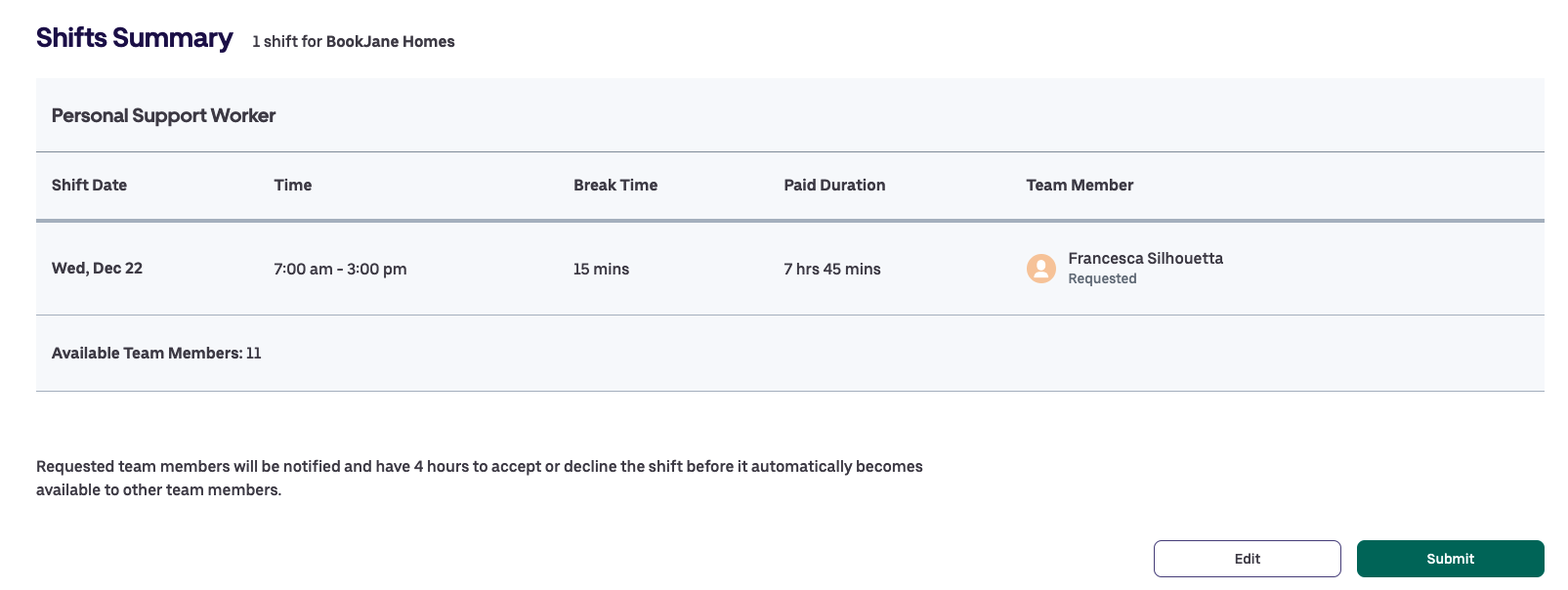
After submitting, the team member will be notified of the shift(s) you've requested them for and will be given the choice to accept or decline said shift(s).
-
- If they decline a shift, or if there is no action after 4 hours, it will go out to all other available and qualified healthcare professionals.