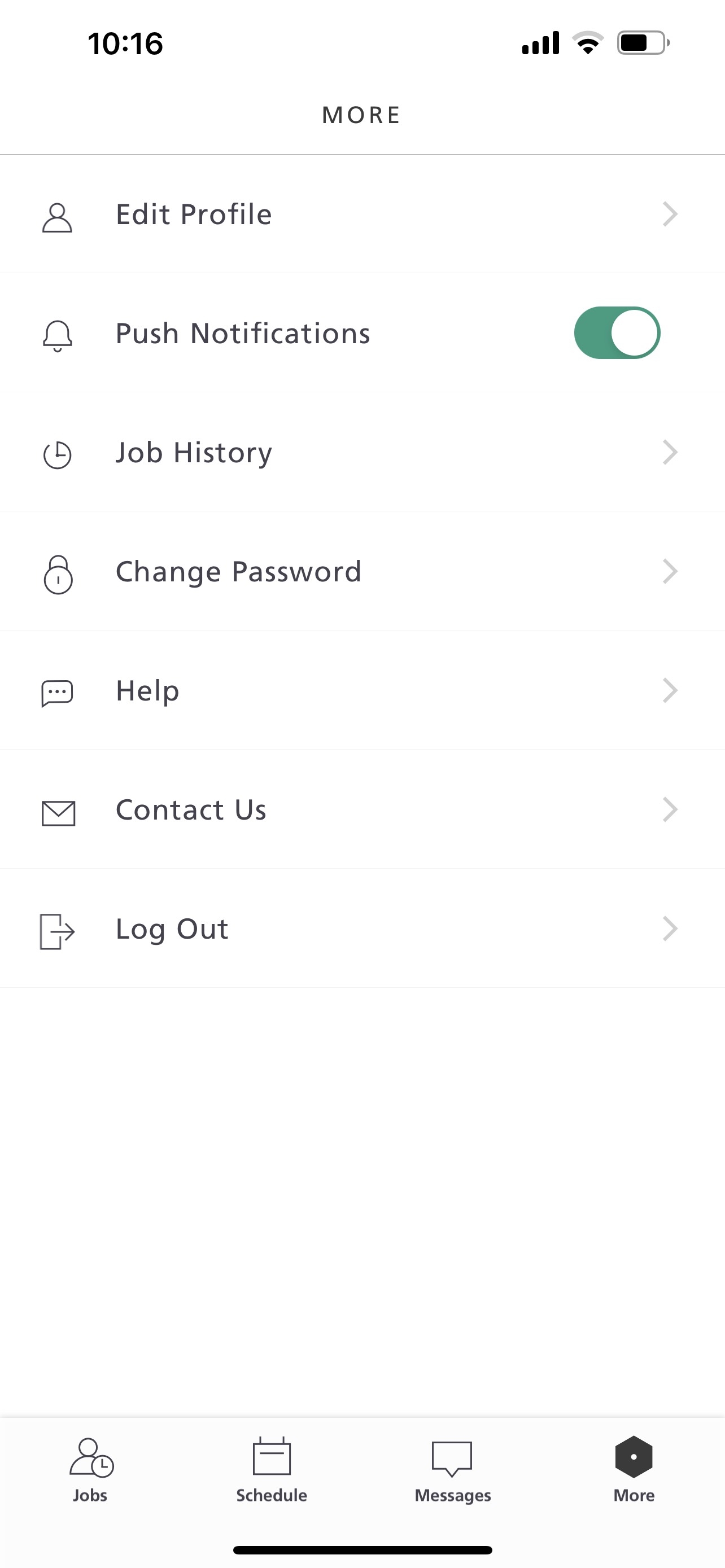
In order to ensure you're receiving push notifications, make sure that the "Push Notifications" option on the app is enabled. In order to do so, follow the steps below.
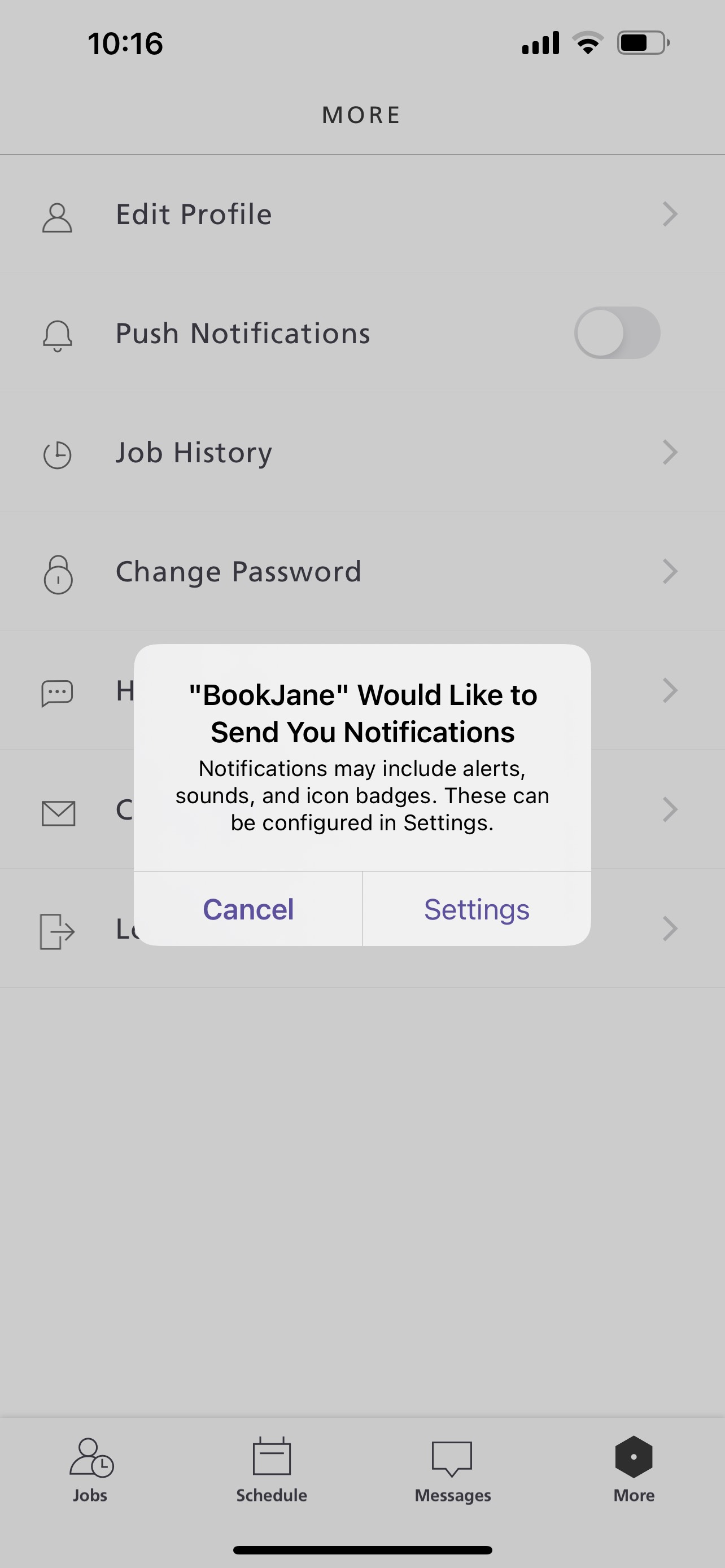
Step 1. When enabling notifications, if your phone is not set up to enable notifications, you'll see a corresponding message. Click on "Settings" to go to your phone settings.
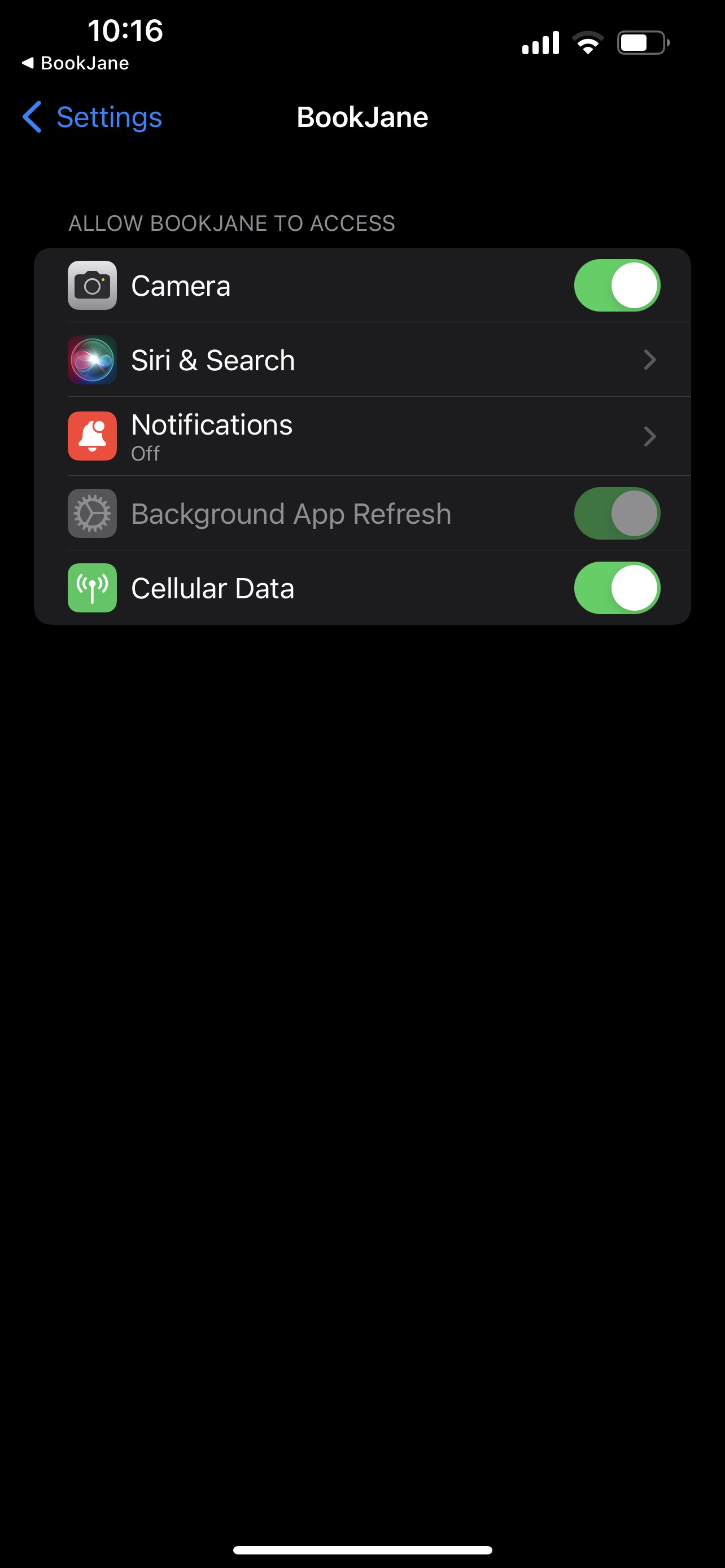
Step 2: Ensure that your "Notifications" are enabled.
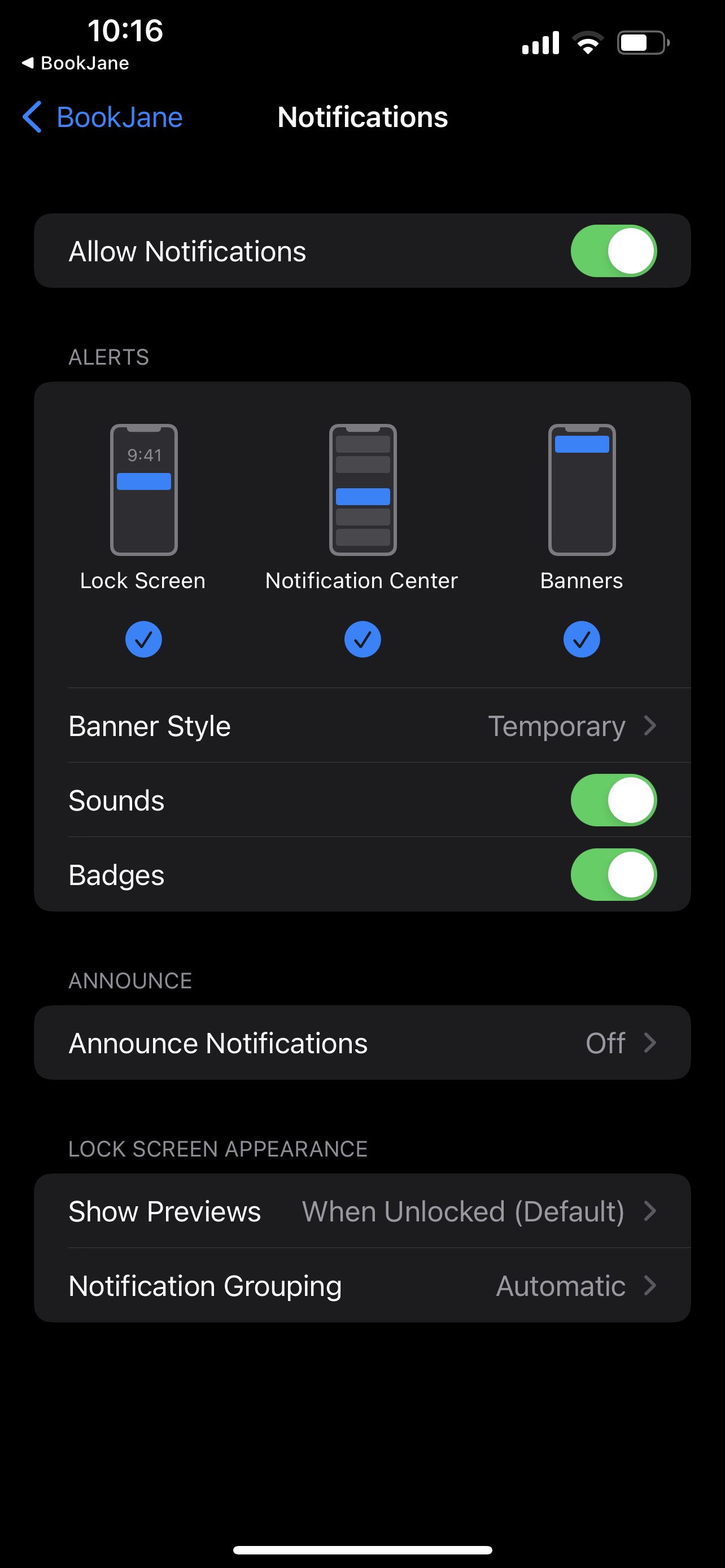
Step 3. Once you've enabled notifications, you can set up the type of notifications you'll receive.
Step 4. Once the notifications have been properly set up, you'll see the "Push Notifications" option has been enabled.